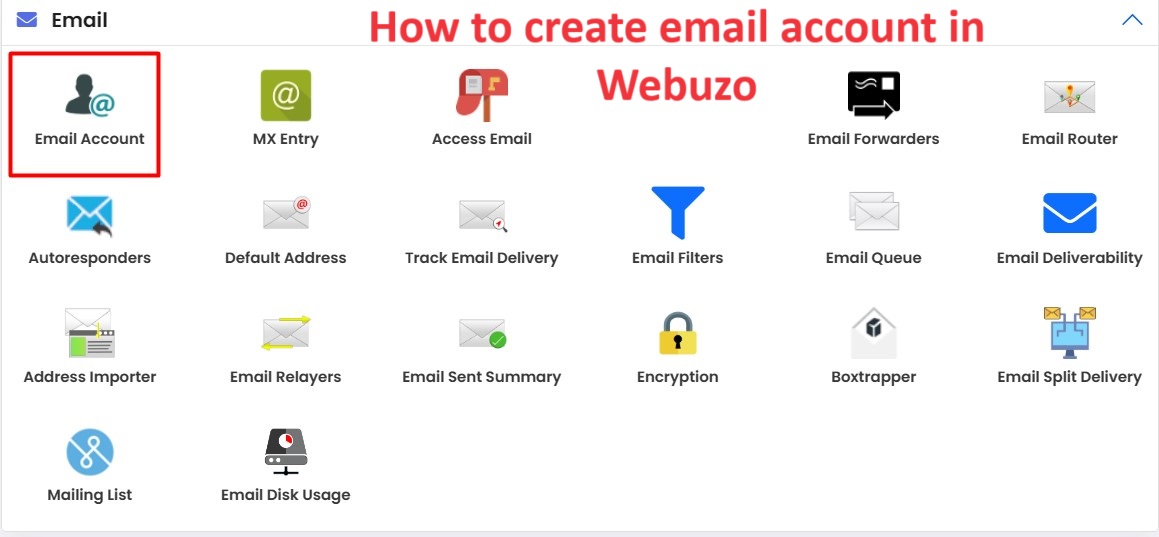
In Webuzo, an email account refers to a user’s electronic mailbox hosted on a server managed by the Webuzo Control Panel. It allows users to send, receive, and manage email messages using their own unique email address, typically associated with a specific domain.
Table of Contents
Key aspects of email account
Here are some key aspects of an email account in Webuzo:
- Email Address: Each email account has a unique email address, typically formatted as username@domain.com, where “username” is the chosen name for the account and “domain.com” is the domain associated with the account.
- Storage Quota: Webuzo allows you to set a storage quota for each email account, specifying the maximum amount of disk space allocated to store emails and attachments.
- Access: Users can access their email accounts using various methods, including:
- Webmail Interface: Webuzo often provides a web-based email client that allows users to access their emails through a web browser.
- Email Clients: Users can configure email clients such as Microsoft Outlook, Mozilla Thunderbird, or Apple Mail to access their email accounts via IMAP or POP3 protocols.
- Settings and Configuration: Webuzo typically provides options to configure various settings for email accounts, such as autoresponders, email forwarding, spam filtering, and mailbox aliases.
- Management: As an administrator or user with appropriate privileges, you can create, delete, modify, and manage email accounts through the Webuzo Control Panel. This includes tasks such as changing passwords, adjusting storage quotas, and setting up email forwarding rules.
Overall, email accounts in Webuzo serve as the primary means for users to communicate via email within a hosting environment, offering features for both personal and business use.
Use of email account in webuzo
In Webuzo, email accounts serve several important purposes for both personal and business users:
- Communication: The primary use of email accounts in Webuzo is for communication. Users can send and receive emails to and from individuals, groups, or organizations. This includes exchanging messages, sharing files and documents, and collaborating on projects.
- Professional Identity: For businesses, having a domain-specific email address (e.g., yourname@yourdomain.com) creates a professional identity and reinforces brand recognition. This helps build credibility and trust among clients, partners, and customers.
- Customer Support: Businesses can use email accounts to provide customer support services. Customers can contact the business with inquiries, feedback, or support requests via email, and the business can respond promptly, addressing their needs and concerns.
- Marketing and Promotion: Email accounts can be utilized for marketing and promotional purposes. Businesses can send newsletters, product updates, special offers, and promotional campaigns to subscribers, engaging with customers and driving sales.
- Internal Communication: Within organizations, email accounts facilitate internal communication among employees, departments, and teams. Employees can exchange work-related information, collaborate on projects, schedule meetings, and share important announcements via email.
- Documentation and Record-keeping: Email accounts serve as a means of documentation and record-keeping. Important correspondence, agreements, contracts, and other business-related information can be archived and organized within email accounts for future reference and audit purposes.
- Remote Access: Email accounts in Webuzo offer the flexibility of remote access. Users can access their emails from anywhere with an internet connection, using webmail interfaces or email clients on desktops, laptops, smartphones, or tablets.
- Integration with Other Tools: Webuzo email accounts can often be integrated with other productivity tools and applications, such as calendars, task managers, and CRM systems. This integration streamlines workflows, enhances productivity, and improves collaboration among users.
Steps to create email account in webuzo
To create email accounts in Webuzo Control Panel, follow these steps:
Access Webuzo Control Panel: Log in to your Webuzo Control Panel using your username and password.
Navigate to Email Accounts Section: Once logged in, find and click on the “Email” or “Email Accounts” section. This section is usually located within the control panel dashboard or listed in the main menu.
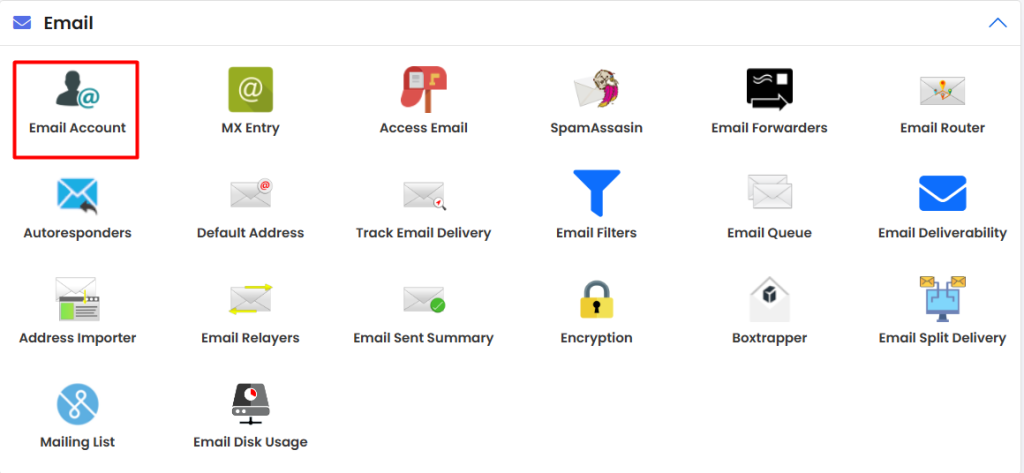
Add New Email Account: Look for an option/button to add a new email account. It might be labeled as “Add Email Account,” “Create Email Account,” or something similar. Click on it to proceed.

Enter Account Details: You’ll be prompted to enter details for the new email account. This typically includes:
- Email Address: The desired email address you want to create (e.g., example@example.com).
- Password: Set a password for the email account.
- Quota: Optionally, set the mailbox size limit if applicable.
Choose Settings: You might have options to configure additional settings such as mailbox size, forwarding, autoresponders, etc. Adjust these settings according to your preferences.
Confirm and Create: Once you’ve entered all the necessary details and adjusted settings, review everything to ensure accuracy. Then, click on the “Create” or “Add” button to finalize the creation of the email account.
Verify Creation: After creation, the new email account should be listed in the email accounts section of your Webuzo Control Panel. You may want to double-check to ensure it was created successfully.
Access Email: Users can access their email accounts using an email client (like Outlook, Thunderbird) or webmail interface provided by Webuzo.

Remember to keep the login credentials secure and provide them to the respective users who will be using the email accounts. Additionally, make sure to regularly manage and maintain your email accounts, including updating passwords and adjusting settings as needed.